
Cost Explorer shows spend. It does not find idle AWS.
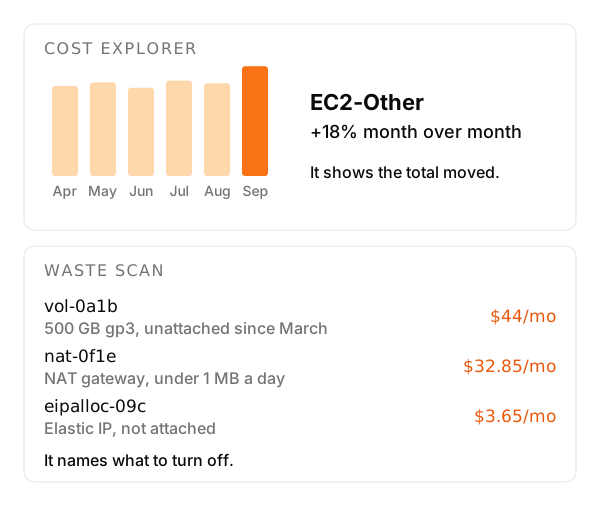
Open Cost Explorer after a noisy month. You will see services, accounts, and maybe a forecast. You will not see vol-0abc sitting unattached since March in a region nobody opens.
That is the gap. Native AWS is good at the bill. It is weak at naming the resource you can turn off this week.
What each tool answers
| Tool | What it answers | Where it stops |
|---|---|---|
| Cost Explorer | Spend by service, account, and time. | It does not name the idle resource. |
| Compute Optimizer | A smaller size for EC2, EBS, Lambda, and a few other families. | It skips detached volumes, idle NAT gateways, unused Elastic IPs, and old snapshots. |
| Cost Optimization Hub | Some of those recommendations in one console, after you opt in. | It is not a weekly list in email or Slack. |
| Budgets | An alert when spend crosses a line you set. | It does not say which resource crossed it. |
| unusd.cloud | Idle and unused resources, with account, region, and a monthly estimate. | It does not replace the bill, and it does not change AWS. |
Keep Cost Explorer, or a CUR in a warehouse, when the question is where the money went. Keep Budgets so someone hears about a threshold. unusd.cloud does not replace either.
Trusted Advisor has cost checks too. Many of them need a paid support plan, and someone still has to open the console. Cost Anomaly Detection flags a weird spend shape. It still does not name the NAT.
What the scan adds
A read-only IAM role and 55+ fixed rules across 30+ services and every enabled region. The result is a weekly email you can forward, with the resource, the account, the region, and a monthly estimate.
The rules are deterministic. You can explain a finding to an auditor. If you opted in to Cost Optimization Hub, its recommendations show up next to the idle checks.
You still delete, stop, or whitelist. Nothing in the account changes unless you change it.
Related: find idle resources without living in the CLI, EKS extended support.
If the question is what to turn off this week, run a scan.
Stop paying for resources nobody is using.
Connect a read-only role. Digest by email, full web report in the app - minutes to first scan.
Start free scan→